Patriotic Federalist (or other sites) not showing up. Cox DNS hijacking!
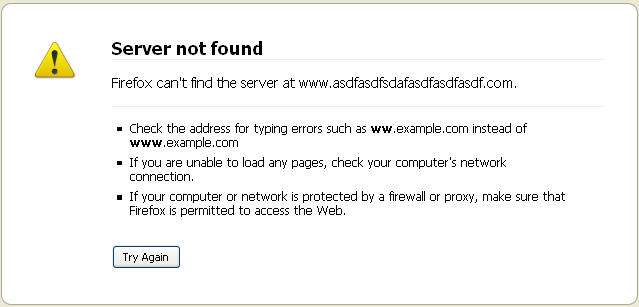
I noticed my site and some others did not show up at certain times or I would randomly get redirected to http://finder.cox.net. I would not be able to log in for hours sometimes then it would just come back. At first I thought my new domain just sucked. Then I figured out I could connect to it through most any proxy server (http://anonymouse.org etc) which narrowed it down some for me. Long story short, it was the DNS (Domain Name Server for the non geeks). It was being hijacked by Cox Cable. Finder.cox.net shouldn’t be showing up if a site doesn’t exist or has issues. You should see something like this:
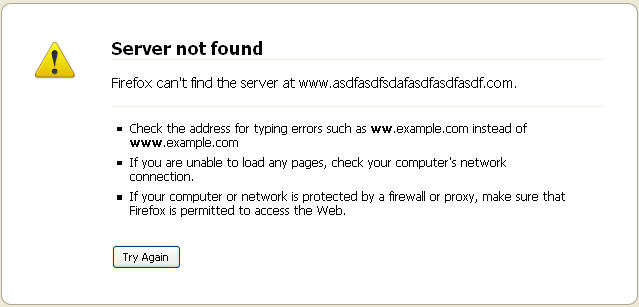
Instead I see http://finder.cox.net showing me a bunch of basically useless links. The links go through a Yahoo marketing site. So, my DNS has been hijacked AND forces me through useless links that make money for Cox. It also makes my web surfing intermittent at best. Did I mention its all for their marketing and profit? I am not happy about this. I am sure emailing them will do nothing so I just bypass their scheme.
Not sure how to do this? There are several ways. As a matter of fact, there are way more than I will list here.
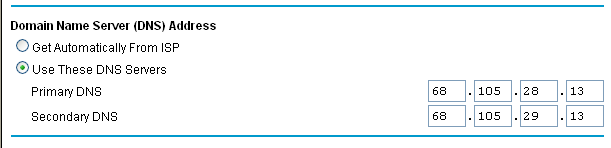
If you have a router, set your DNS manually to use DNS addresses from OpenDNS, Google, or here are Cox.net’s alternate addresses as set in my router (default one for cox were same except last 2 digits were 12):
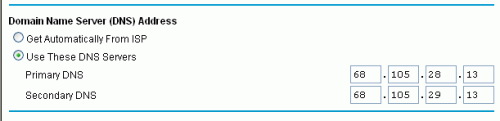
I don’t actually use that as I prefer to use OpenDNS http://www.opendns.com/
I have also successfully tested Google public DNS servers using these setting in my router rather than having to change each computer:
Primary 8.8.8.8
Secondary 8.8.4.4
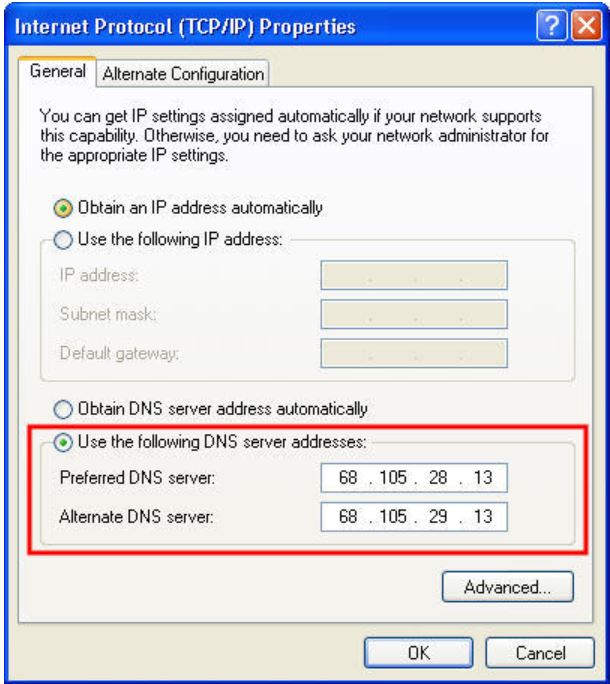
If you only want to fix one computer or don’t use a router try this method using the numbers mentioned above:
To use Cox alternate DNS servers (click picture if you don’t know how to get to this screen…thanks to Nate):